
Quickstart
Get an app online from your editor in about two minutes.
What you need
Something that speaks MCP: Claude Desktop, claude.ai, ChatGPT, Claude Code, Cursor, Codex, Windsurf, Cline or Zed. That is the whole list. There is no CLI to install and nothing to set up on your machine.
A project on disk is the common case, and any editor or desktop app can read one. But it is not required: if the code is in your conversation, that is enough to deploy it — which is what makes this work on claude.ai and ChatGPT, where there is no folder to point at.
Connect
Spocket is one URL. How you add it depends on what you are using, and the two shapes are genuinely different — Claude Desktop and claude.ai have no config file at all, so if you go looking for one you will not find it.
Claude Desktop and claude.ai
Four screens, about thirty seconds. The steps are the same in the desktop app and on claude.ai — the screenshots below are from the desktop app.
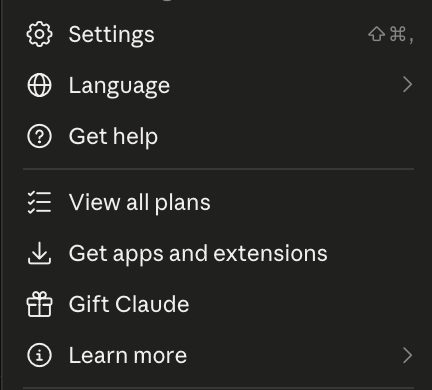
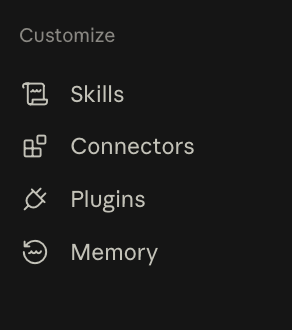
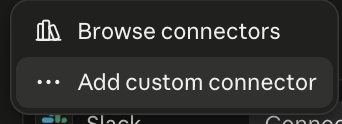
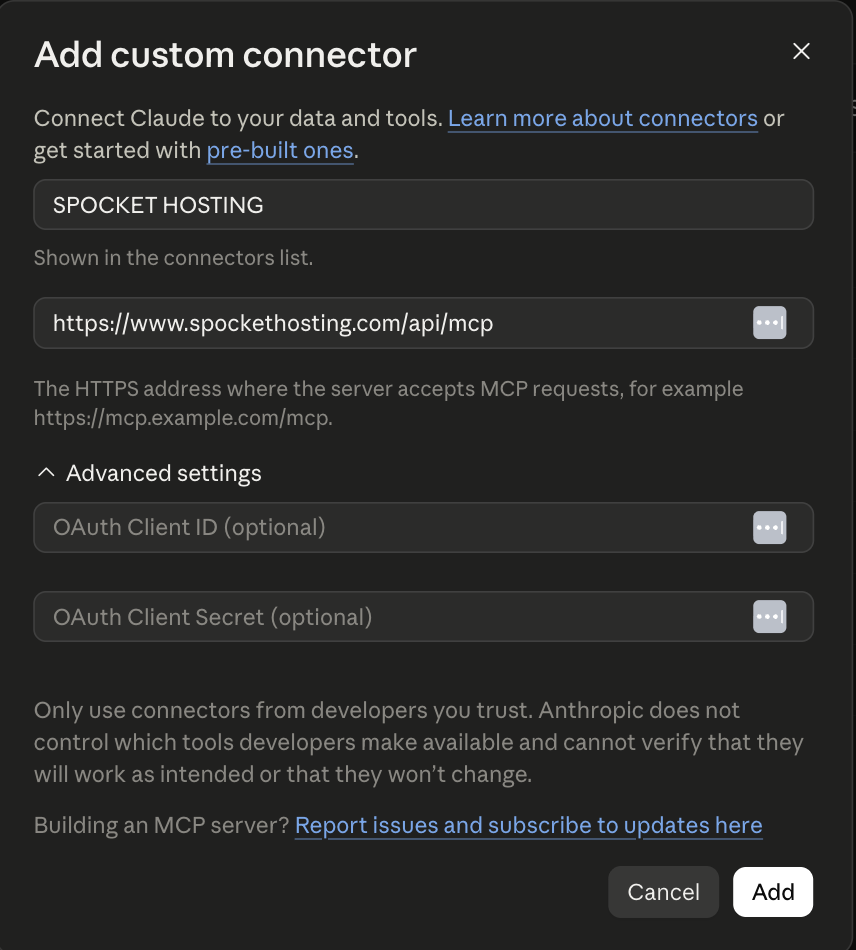
A browser window then asks you to allow the connection. Approve it once — Claude registers itself with us and holds the token from then on, so this does not come back.
Claude Code
Cursor, Codex, Windsurf, Cline and Zed
These read a config file. The key differs — Cursor and Windsurf use mcpServers, Codex uses mcp_servers in TOML — but the URL is the same one:
Restart the editor afterwards. The first time your agent uses Spocket, the same browser approval appears.
Other clients
- 01ChatGPTSettings → Connectors → Add. Same URL, same approval. Connectors need developer mode enabled.
- 02Anything else with a connector listIf it accepts a remote MCP server URL, it accepts this one. There is no API key, client id or secret to fill in.
Deploy
Tell your agent what you want. If it can see your files, point it at them:
And if the code is in the conversation rather than on disk, say that instead — there is nothing to save or upload first:
The bundle uploads, a container starts, dependencies install, and your entry point runs. A small app is live in about twenty seconds; one with heavy dependencies takes a minute.
Add your token
Most apps need a secret before they can connect to anything:
The value is encrypted before it is stored. Neither you nor any connected tool can read it back afterwards — only replace it. That is deliberate: a token you cannot retrieve is a token that cannot be exfiltrated by anything holding your credentials.
Check it worked
You get the running state, memory, uptime and recent output. If it did not start, the reason is almost always in the first few lines — and your agent can read them and fix the code without you switching windows.